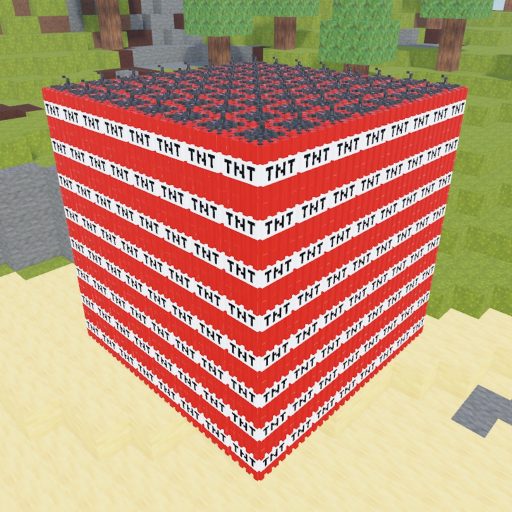
TNTVoxelPlayground
Guide

How to Play TNT Voxel Playground

Start TNT Voxel Playground with a first-blast checklist, then check the current STYLES, daily rewards, pets, and unlock wording before a long session.

TNT Voxel Playground beginner guideUpdated guide
Quick answer

Open Roblox place 136822524519115, place TNT from the hotbar, and use Flint and Steel for the official four-second fuse or the Detonator to light all placed TNT at once. Check Daily, Pets, Explosions, Specials, and Upgrades as separate in-game menus; daily unlocks are not redeem codes.

Start here when this is the exact player task you searched for. The sections below turn the question into steps, checks, and next pages.

First-blast numbered checklist plus update check. Place, light, wait, observe, record the result, then separate daily unlocks and pet styles from code rewards.

For TNT Voxel Playground beginner guide, keep the first run simple: one TNT setup, one trigger, and one observed result. Change only one variable at a time before scaling the blast.

Current interface

Where the important menus are

A target-specific gameplay video uploaded on August 20, 2026 shows these buttons in the left-side mobile interface. Menu visibility is observational evidence, while Roblox and the live game remain authoritative for current values.

Specials

Check special TNT and other unlocks shown by the current game UI.

Daily

Check the free-unlock timer. The official description says it refreshes every eight hours.

Pets

Open the pet panel to equip pets and inspect available Style controls.

Explosions

Review explosion-related unlocks without assuming every visual style changes damage.

Upgrades

Read the visible effect and cost in your current server before spending.

YouTube evidence

Playing TNT Voxel Playground

The video shows the correct TNT Voxel Playground interface, pet cards, TNT placement, hotbar tools, and destructible terrain. It has no transcript and a small audience, so this guide uses it only to confirm visible interface paths—not hidden stats, prices, or a best build.

Watch the gameplay reference on YouTube
Walkthrough

How to use this page in-game

Use these blocks to decide what to check, what to avoid, and which next page helps before you spend time or resources.

Place TNT, choose a lighting tool, observe the official four-second fuse note, and record the result.

TNT Voxel Playground beginner guide

TNT Voxel Playground beginner guide

The core loop is presented as a place-light-watch experiment tied to the exact place id, with update wording checked separately.

how to play TNT Voxel Playground with STYLES and daily rewards

how to play TNT Voxel Playground
If you're stuck

Checks before you spend

  • If a control is not visible, do not invent a keybind; use the in-game prompt and mark the control unknown.
  • If the result differs, check the current update/source page and record the exact place before retrying.
Common mistakes

Keep the first test clean

  • Do not guess a keybind that the official source does not publish.
  • Do not scale a chain or terrain test before recording the first blast.
FAQ

Common questions

What is the first thing to do?

Confirm the official place, place TNT, then use the available lighting tool.

How long is the official fuse note?

The game description says Flint and Steel leads to an explosion after four seconds.

Are daily rewards the same as codes?

No. The current official description says free unlocks are available every eight hours, while the codes page tracks separate code evidence.

Related pages

Where to go next

Open the next page that matches what you are trying to do in-game.